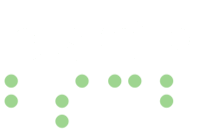
The Bay State Council of the Blind (BSCB) is an organization of blind and low vision people in Massachusetts. We know from our own lives what it is like to run into a website that doesn’t work with the tools we use. We want everyone who visits this website to be able to find information, take part in our programs and get in touch with us, whatever technology they use and whatever their abilities or disabilities.
This statement was last updated on November 10, 2026.
On this page
Our commitment
We aim to meet the Web Content Accessibility Guidelines (WCAG) 2.2 at Level AA. These guidelines are the widely used standard for making websites work for people with disabilities. That includes people who use screen readers, screen magnification, braille displays, speech recognition or only a keyboard, and people with low vision, hearing loss, or differences in how they move, read or process information.
Accessibility isn’t a one-time project for us. We keep working to remove barriers, and we fix problems as we find them or as you tell us about them.
To support this commitment, BSCB engaged Pedal Point Solutions, a web accessibility consulting firm led by professionals with lived disability experience, and Kayla Bentas, an accessibility consultant and web developer. Pedal Point and Kayla worked with us to create this website, and they help us make accessibility part of how it is designed, built and tested.
How this website supports accessibility
Here are the main ways we have made this website easier to use.
Finding your way around
- Skip link: a “Skip to content” link at the top of every page lets you jump past the menus straight to the main content.
- The same menus on every page: the main menu at the top and the links at the bottom of each page stay in the same place, so you only have to learn them once.
- Headings and page regions: every page has one main heading, with sections in order below it, and is divided into regions such as navigation, main content and footer. With a screen reader, you can move quickly by heading or by region.
- “On this page” lists: longer pages, like this one, start with a list of links to each section.
- Search: a search box is part of the main menu on every page.
- Keyboard access: you can use the whole site with only a keyboard, without a mouse. In the main menu, press Enter or Space on a section to open its submenu, use the arrow keys to move through it, and press Escape to close it.
- A sensible order: moving through a page with the Tab key or a screen reader follows the order you see on the screen.
- A visible focus outline: when you move with the keyboard, a clear outline shows where you are on the page.
- Clear link and button text: links and buttons say what they do or where they go. Links to other websites tell you, with an icon and with words your screen reader will read, that they open in a new tab.
Reading and seeing the content
- A font made for low vision: the text is set in Atkinson Hyperlegible Next, a typeface the Braille Institute designed so that letters and numbers that look alike are easier to tell apart. The standard text size is large, and lines and list items have generous space between them.
- Good color contrast: text and important parts of the page stand out clearly from their background, meeting WCAG Level AA.
- More than color: links and buttons show a change beyond color, such as an underline or outline, when you point to them or move to them with the keyboard.
- Zoom and small screens: pages adjust to fit phones, tablets and computers, and you can zoom in or make the text larger without losing any content or features.
- Nothing that moves or plays on its own: no sound, video, slideshow or animation starts by itself, and nothing on the site flashes.
- A predictable layout: pages share the same simple design, so information is where you expect it.
Images, forms, documents and media
- Image descriptions: photos and other meaningful images have text descriptions (alternative text) that screen readers read aloud.
- Phone numbers you can tap: on a phone, you can tap a phone number to call it.
- Forms: forms, such as our Contact us form, have a label for every field and show which fields you must fill in.
- Documents: when we add new documents for you to download, we make them accessible, with real text rather than a picture of text, and with headings and other structure your screen reader can use.
- Audio and video: when we add new video, we include captions, and we provide transcripts for recordings where we can.
Working with your own technology
- Screen readers and other assistive technology: we build pages to work with current web browsers and with assistive technology such as screen readers, screen magnifiers, braille displays and speech recognition.
- Clear page structure in the code: pages are built with standard web code (HTML) that tells your assistive technology what each part of the page is, such as a heading, a list, a link or a button. Where we add extra information for assistive technology (known as ARIA), such as telling you whether a submenu is open or closed, we follow the rules for using it correctly.
- Language: every page tells your screen reader it is written in English, so words are pronounced correctly.
How we test and keep improving
Websites change all the time, so we check accessibility as part of our regular work:
- We try out new pages and features on a test copy of the website before they go live.
- We regularly scan the website with automated tools to find and fix common problems.
- BSCB members test the website by hand, using different screen readers, browsers, operating systems and devices, and moving through pages with only a keyboard.
We fix the problems that testing finds.
Known limitations
Some content may not yet be fully accessible, including:
- Older documents in our archives, some of which may be scanned or untagged PDF files.
- Older audio recordings, such as past Third Thursday calls, Virtual Hangouts and Story Slams, most of which do not have transcripts.
We are working to improve these areas. If you need any of this content in another format, please contact us and we will help.
Content from other websites
Some parts of this website rely on other companies’ services. For example, payments for dues, donations and conference registration go through PayPal, some videos play from YouTube, some documents are stored on Dropbox, we link to Facebook, and many of our meetings and calls take place on Zoom. We choose services that work well with assistive technology where we can, but we don’t control how accessible they are. If one of them gets in your way, let us know and we will help you another way.
Tell us about a problem
We want to hear from you. If you have trouble using any part of this website, or you have an idea for making it better, please let us know. It helps if you tell us the page address (URL), what happened, and the device, browser and assistive technology you were using. We will work to fix the problem or get you the information another way.
- Email: info@acbofma.org
- Phone: 1 (773) 572-6312
- Online: use our Contact us page
We aim to reply to accessibility messages within 3 business days.
Getting information in another format
If you can’t get to something on this website, please don’t hesitate to contact us using any of the ways above. We are glad to help, whether that means sending you a document in a format that works for you, reading information to you over the phone, or helping you sign up, register or donate another way.
About this statement
We will update this statement as our website changes. The date it was last updated is shown at the top of this page.
This statement is not a legal document. It describes our ongoing commitment to an accessible website. Because websites, technology and people’s needs keep changing, we can’t promise that every part of this website will work for every person at all times. We can promise to keep finding and fixing problems, and to make this website as easy to use as we can.
Your experience matters to us. Thank you for helping us make this website work for everyone.